

工人门户网站注册指南
首次注册时,您需要使用电脑,而不是移动设备。
注册完成后,您可以通过移动设备访问工人门户网站。
注册时需提供以下信息:
- 工人身份号(例:M123456)
- 姓氏
- 出生日期
为保护您的信息,工人门户网站已启用多因素身份验证。每次登录时,系统将向您的手机或电子邮箱发送安全验证码,以核实您的身份。
您需要在管理局登记手机号码或电子邮箱地址,才能登录。如需更新或补充联系方式,请致电 1800 517 158 与我们联系。
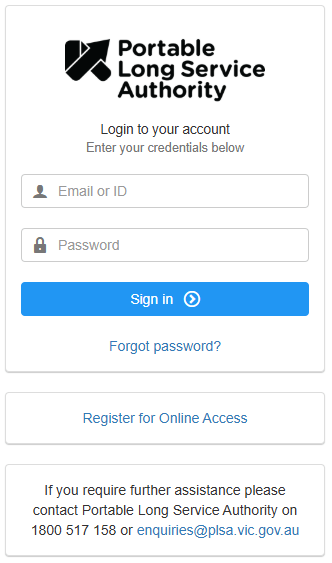
访问工人门户网站,点击“注册在线访问(Register for Online Access)”。
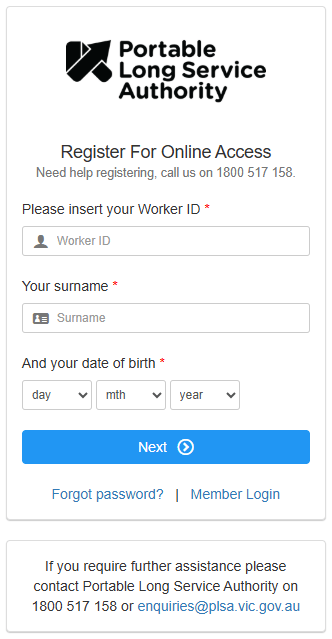
输入您的工人身份号、姓氏和出生日期,然后点击“下一步(Next)”。
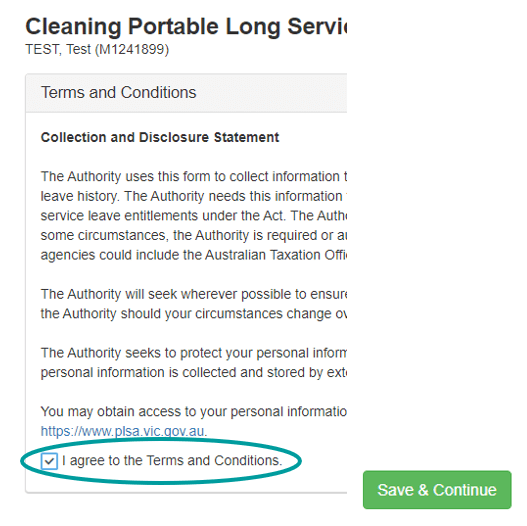
阅读并同意条款与条件,点击“保存并继续(Save & Continue)”。
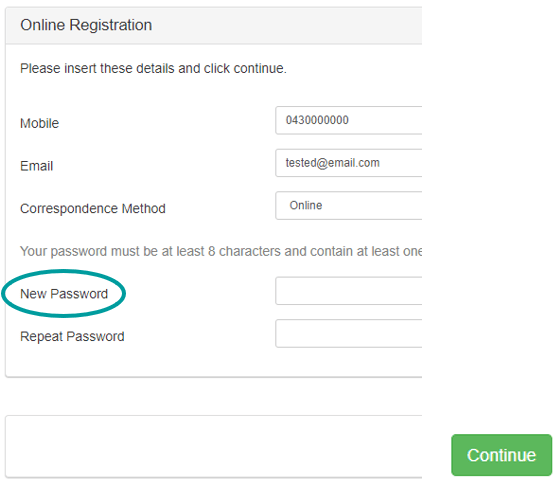
设置密码,点击“继续(Continue)”。
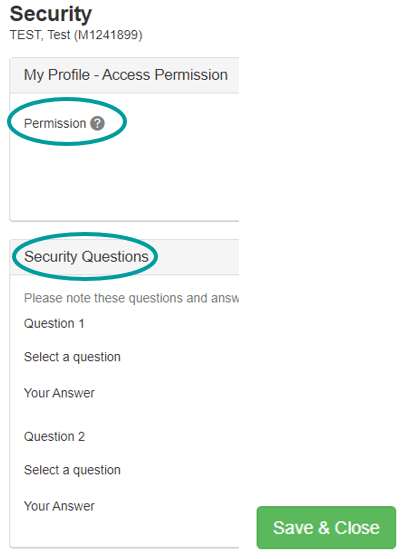
编辑权限(Permission)部分,设置安全问题(Security Questions),然后点击“保存并关闭(Save & Close)”。
您已完成注册。
如需帮助,请致电 1800 517 158 或发送电子邮件至 enquiries@plsa.vic.gov.au 与我们联系。
Further information
您的工人身份号 (Your Worker ID) - 简体中文 (Simplified Chinese)
您在“随身长期服务福利计划(Portable Long Service Benefits Scheme)”中的唯一身份识别码。
Missing service
What to do if you believe your hours have been incorrectly reported by your employer.
Updated